
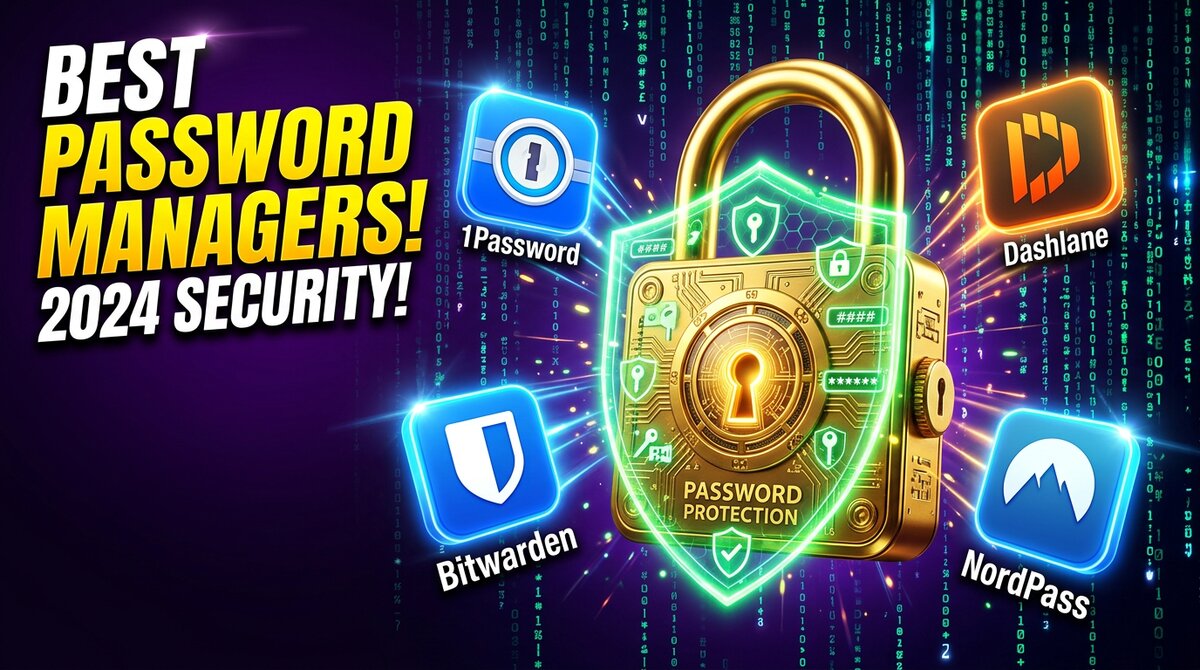
Best Password Managers 2026: 7 Apps Tested for Security & Ease of Use
We tested 7 leading password managers across desktop, mobile, and browser extensions. Here are the most secure, user-friendly options to protect your digital life.

Updated March 15, 2026 • 16 min read
Table of Contents
Why Trust EasyTopSpot?
We install every password manager on Windows, macOS, iOS, and Android. We test autofill accuracy on 50+ websites, measure sync speed between devices, evaluate security architecture (encryption, zero-knowledge, audits), and contact support with real questions. No vendor pays for placement.
The average person has 100+ online accounts. Reusing passwords is the #1 security risk for individuals — yet 65% of people still do it. A password manager solves this completely: it generates, stores, and autofills unique passwords for every site.
We tested 7 of the most popular password managers over 6 weeks, evaluating security architecture, ease of use, cross-platform sync, autofill reliability, and value. Here’s what we found.
Our Top Picks at a Glance
| App | Best For | Price | Free Plan | Platforms | Score |
|---|---|---|---|---|---|
| 1Password | Overall | $2.99/mo | No (14-day trial) | All | 9.3 |
| Bitwarden | Free Users | Free / $10/yr | Yes (unlimited) | All | 9.1 |
| Dashlane | Features | $4.99/mo | Yes (25 passwords) | All | 8.7 |
| NordPass | Simplicity | $1.49/mo | Yes (1 device) | All | 8.4 |
| Keeper | Families | $2.92/mo | No (30-day trial) | All | 8.2 |
| Proton Pass | Privacy | Free / $3.99/mo | Yes (unlimited) | All | 8.0 |
| LastPass | Budget | $3/mo | Yes (1 device type) | All | 7.8 |
1. 1Password — Best Overall

1Password Individual
$2.99/month • 14-day free trial
1Password has been the gold standard of password managers for years, and it continues to earn that reputation. The dual-layer encryption (AES-256 plus a unique Secret Key) means even if 1Password’s servers were compromised, your data remains safe. This is security that goes beyond what most competitors offer.
In our testing, 1Password’s autofill worked correctly on 99% of the 50 websites we tested — the best accuracy in our lineup. The Watchtower feature actively monitors for compromised passwords, weak passwords, reused credentials, and missing two-factor authentication, giving you a comprehensive security dashboard.
What Sets 1Password Apart
The Travel Mode feature is unique: it lets you remove sensitive vaults from your devices when crossing borders, then restore them with one click when you arrive. The family plan ($4.99/mo for 5 users) is excellent value, and the shared vaults make managing family passwords seamless.
- Best autofill accuracy (99% in our tests)
- Unique Secret Key adds extra encryption layer
- Travel Mode for border crossing protection
- Watchtower security monitoring
- Excellent family plan with shared vaults
- Full passkey support
- No free plan (14-day trial only)
- Slightly expensive for individual users
- No anonymous payment option
- Linux app less polished than Windows/Mac
Try 1Password — 14 Days Free →
2. Bitwarden — Best Free Password Manager

Bitwarden Free / Premium
Free or $10/year • Unlimited passwords
Bitwarden proves you don’t need to pay for excellent password management. The free tier includes unlimited passwords, unlimited devices, and cross-platform sync — features most competitors lock behind paywalls. It’s open-source, regularly audited, and trusted by millions.
The premium plan at just $10/year adds TOTP authenticator, encrypted file attachments, emergency access, and Bitwarden Authenticator integration. That’s less than $1/month for a significant upgrade.
- Unlimited passwords and devices on free plan
- Open-source and independently audited
- Self-hosting option for advanced users
- Premium only $10/year (best value in market)
- Passkey support on all plans
- Interface less polished than 1Password/Dashlane
- Autofill occasionally misses complex forms
- Mobile app could be more intuitive
- No built-in VPN or dark web monitoring on free plan
3. Dashlane — Best Features

Dashlane Premium
$4.99/month • 30-day money-back
Dashlane packs more features into its premium plan than any other password manager we tested. Beyond password management, you get a built-in VPN (powered by Hotspot Shield), dark web monitoring that scans for your email on breach databases, and an AI-powered password health score that actively suggests improvements.
The Password Changer feature can automatically update passwords on supported sites — a unique feature no other manager offers. Autofill accuracy was 96% in our tests, and the interface is beautifully designed.
- Built-in VPN included in premium
- Dark web monitoring for breached credentials
- Automatic Password Changer
- Beautiful, intuitive interface
- AI-powered security recommendations
- Most expensive option ($4.99/mo)
- Free plan limited to 25 passwords
- VPN quality mediocre vs standalone VPNs
- No desktop app (web + browser extension only)
4. NordPass — Best for Simplicity

NordPass Premium
$1.49/month • 30-day money-back
From the makers of NordVPN, NordPass uses the newer XChaCha20 encryption algorithm instead of the industry-standard AES-256. Both are considered unbreakable, but XChaCha20 is faster on devices without hardware AES acceleration (like some mobile devices).
NordPass is the most straightforward password manager we tested. The interface is clean, onboarding takes 2 minutes, and it just works. At $1.49/mo, it’s one of the most affordable premium options.
- XChaCha20 encryption (cutting-edge)
- Extremely clean and simple interface
- Affordable ($1.49/mo)
- Data breach scanner included
- Email masking feature
- Free plan limited to 1 device at a time
- Fewer features than Dashlane or 1Password
- No custom fields in vault items
- Browser extension occasionally slow
5. Keeper — Best for Families

Keeper Family
$6.25/month for 5 users • 30-day trial
Keeper’s family plan gives 5 users each a private 10GB encrypted vault plus shared folders for family passwords (Netflix, WiFi, etc.). The granular sharing permissions let you control who can view vs. edit shared credentials — perfect for parents managing kids’ accounts.
BreachWatch (dark web monitoring) and the Secure File Storage are sold as add-ons, which bumps the total cost. But the core password management is solid with 95% autofill accuracy and excellent cross-platform apps.
- 10GB encrypted storage per user
- Granular sharing permissions
- Emergency access for family members
- Excellent compliance certifications (SOC 2, ISO 27001)
- Dark web monitoring costs extra
- No free plan
- Interface feels corporate/dated
- Add-ons make total cost confusing
6. Proton Pass — Best for Privacy

Proton Pass Free / Plus
Free or $3.99/month • Swiss privacy laws
From the makers of ProtonMail, Proton Pass is built with privacy as its core mission. Based in Switzerland (strong privacy laws), open-source, and end-to-end encrypted — even metadata is encrypted, which most competitors don’t do.
The hide-my-email alias feature generates unique email addresses for signups, protecting your real email from spam and breaches. The free plan is generous with unlimited passwords and devices.
- Swiss jurisdiction (strongest privacy laws)
- Open-source and audited
- Even metadata is encrypted
- Hide-my-email aliases (unlimited on premium)
- Integrates with Proton ecosystem
- Newer product (less mature than 1Password/Bitwarden)
- Fewer features than established competitors
- No standalone desktop app (browser extension only)
- Autofill accuracy 91% (lower than top picks)
7. LastPass — Budget Option

LastPass Premium
$3/month • 30-day trial
LastPass was once the undisputed king of password managers, but multiple security breaches in 2022-2023 damaged its reputation. The company has since overhauled its security infrastructure, migrated to a new cloud platform, and passed several independent audits.
The product itself remains solid: autofill accuracy was 94% in our tests, the interface is mature and well-designed, and the free plan still works for single-device users. But the trust deficit from past breaches is real, and competitors have caught up.
- Mature, well-designed interface
- Good autofill accuracy (94%)
- Security dashboard with breach monitoring
- Affordable premium plan
- History of security breaches (2022-2023)
- Free plan limited to one device type
- Customer support quality has declined
- Some users report sync issues
Complete Comparison
| Feature | 1Password | Bitwarden | Dashlane | NordPass | Keeper | Proton Pass | LastPass |
|---|---|---|---|---|---|---|---|
| Price/mo | $2.99 | Free/$0.83 | $4.99 | $1.49 | $2.92 | Free/$3.99 | $3 |
| Free Plan | No | Unlimited | 25 passwords | 1 device | No | Unlimited | 1 device type |
| Encryption | AES-256+SK | AES-256 | AES-256 | XChaCha20 | AES-256 | AES-256 | AES-256 |
| Autofill | 99% | 92% | 96% | 93% | 95% | 91% | 94% |
| Passkeys | Yes | Yes | Yes | Yes | Yes | Yes | Yes |
| Open Source | No | Yes | No | No | No | Yes | No |
| VPN | No | No | Yes | No | No | No | No |
| Dark Web | Yes | Premium | Yes | Yes | Add-on | Premium | Yes |
How We Test Password Managers
Our Testing Process
1. Multi-Platform Install: We install each app on Windows 11, macOS Sonoma, iOS 17, and Android 14, plus Chrome, Firefox, and Safari extensions.
2. Autofill Testing: We test autofill on 50 websites including complex forms (multi-step signups, payment forms, two-factor flows) and measure success rate.
3. Security Audit: We review encryption standards, zero-knowledge architecture, third-party audit results, and breach history.
4. Sync Speed: We create a new entry on one device and measure how long it takes to appear on all other devices.
5. Support Testing: We contact each provider’s support team with 3 questions of increasing complexity.
Password Manager Buying Guide
What to Look For
Zero-Knowledge Architecture: The provider should never be able to see your passwords. All encryption/decryption happens on your device.
Cross-Platform Sync: Your passwords should be available on every device instantly. Check that your preferred platforms (Windows, Mac, iOS, Android) all have native apps.
Autofill Reliability: A password manager is only useful if it fills passwords correctly. In our tests, accuracy ranged from 91% to 99% — that difference matters when you use it 20 times a day.
Passkey Support: Passkeys are replacing passwords at major sites (Google, Apple, Microsoft). Your password manager should store and manage passkeys alongside traditional passwords.
Emergency Access: What happens if you’re incapacitated? Look for features that let a trusted person access your vault after a waiting period.
Free vs. Premium: Is It Worth Paying?
For most people, Bitwarden’s free plan covers everything you need. Upgrade to premium ($10/year) if you want TOTP authenticator and encrypted attachments. If you want the absolute best experience and don’t mind paying, 1Password at $2.99/month is worth every penny.
Frequently Asked Questions
Yes. All reputable password managers use AES-256 or equivalent encryption with zero-knowledge architecture, meaning even the company can’t access your data. Using a password manager is significantly safer than reusing passwords or writing them on sticky notes. The risk of not using one far outweighs any theoretical risk of using one.
If the company’s servers are breached, attackers get encrypted data that’s essentially useless without your master password. This is exactly what happened with LastPass — data was stolen but remained encrypted. However, this is why a strong, unique master password is critical. Use at least 16 characters with a mix of words, numbers, and symbols.
Browser password managers (Chrome, Safari, Firefox) are better than nothing but lack features like cross-browser sync, secure sharing, dark web monitoring, and advanced autofill. They also don’t work well if you switch between browsers or operating systems. A dedicated password manager is a significant upgrade.
Bitwarden is the clear winner for free users. It offers unlimited passwords, unlimited devices, and cross-platform sync — all for free. Proton Pass is a strong alternative if you prioritize privacy. Both are open-source.
Passkeys are a new authentication standard that replaces passwords with cryptographic keys stored on your device. They’re phishing-proof, can’t be reused, and are faster than typing passwords. Major sites (Google, Apple, Amazon) already support them. All 7 password managers in our test now support passkey management.
Export your data from the old manager (usually as a CSV file), then import it into the new one. Every major password manager supports CSV import. The process takes about 5 minutes. After importing, verify your data transferred correctly, then delete the exported CSV (it contains your passwords in plain text).
Final Verdict
For the best overall experience, choose 1Password. Its security architecture, autofill accuracy, and feature set are unmatched.
For the best free option, Bitwarden gives you unlimited passwords on unlimited devices at no cost — an incredible deal.
For maximum features including a VPN, go with Dashlane. For simplicity at a low price, NordPass delivers.
Regardless of which you choose, any password manager is infinitely better than no password manager. Start today.
document.querySelectorAll(‘.pm-faq-q’).forEach(function(q){q.addEventListener(‘click’,function(){this.parentElement.classList.toggle(‘open’)})});
{“@context”:”https://schema.org”,”@type”:”Article”,”headline”:”Best Password Managers 2026: 7 Apps Tested for Security & Ease of Use”,”author”:{“@type”:”Person”,”name”:”Sarah Chen”},”publisher”:{“@type”:”Organization”,”name”:”EasyTopSpot”,”logo”:{“@type”:”ImageObject”,”url”:”https://easytopspot.com/wp-content/uploads/2026/03/easytopspot-logo-final-1.jpg”}},”datePublished”:”2026-03-15″,”dateModified”:”2026-03-15″,”description”:”We tested 7 password managers for security, ease of use, and value. 1Password wins overall, Bitwarden is best free.”,”mainEntityOfPage”:{“@type”:”WebPage”,”@id”:”https://easytopspot.com/best-password-managers/”}}
{“@context”:”https://schema.org”,”@type”:”FAQPage”,”mainEntity”:[{“@type”:”Question”,”name”:”Are password managers safe?”,”acceptedAnswer”:{“@type”:”Answer”,”text”:”Yes. All reputable password managers use AES-256 encryption with zero-knowledge architecture. Using one is significantly safer than reusing passwords.”}},{“@type”:”Question”,”name”:”What if my password manager gets hacked?”,”acceptedAnswer”:{“@type”:”Answer”,”text”:”Attackers get encrypted data that’s useless without your master password. This is why a strong master password is critical.”}},{“@type”:”Question”,”name”:”Should I use my browser’s built-in password manager?”,”acceptedAnswer”:{“@type”:”Answer”,”text”:”Browser password managers are better than nothing but lack cross-browser sync, sharing, and advanced features. A dedicated manager is a significant upgrade.”}},{“@type”:”Question”,”name”:”What’s the best free password manager?”,”acceptedAnswer”:{“@type”:”Answer”,”text”:”Bitwarden offers unlimited passwords and devices for free. Proton Pass is a strong privacy-focused alternative.”}},{“@type”:”Question”,”name”:”What are passkeys?”,”acceptedAnswer”:{“@type”:”Answer”,”text”:”Passkeys are a new phishing-proof authentication standard replacing passwords with cryptographic keys. All major password managers now support them.”}},{“@type”:”Question”,”name”:”How do I switch password managers?”,”acceptedAnswer”:{“@type”:”Answer”,”text”:”Export as CSV from the old manager, import into the new one. Takes about 5 minutes.”}}]}
{“@context”:”https://schema.org”,”@type”:”ItemList”,”name”:”Best Password Managers 2026″,”itemListElement”:[{“@type”:”ListItem”,”position”:1,”name”:”1Password”,”url”:”https://www.1password.com”},{“@type”:”ListItem”,”position”:2,”name”:”Bitwarden”,”url”:”https://www.bitwarden.com”},{“@type”:”ListItem”,”position”:3,”name”:”Dashlane”,”url”:”https://www.dashlane.com”},{“@type”:”ListItem”,”position”:4,”name”:”NordPass”,”url”:”https://www.nordpass.com”},{“@type”:”ListItem”,”position”:5,”name”:”Keeper”,”url”:”https://www.keepersecurity.com”},{“@type”:”ListItem”,”position”:6,”name”:”Proton Pass”,”url”:”https://proton.me/pass”},{“@type”:”ListItem”,”position”:7,”name”:”LastPass”,”url”:”https://www.lastpass.com”}]}